 Softwavz
L
O
A
D
I
N
G
Softwavz



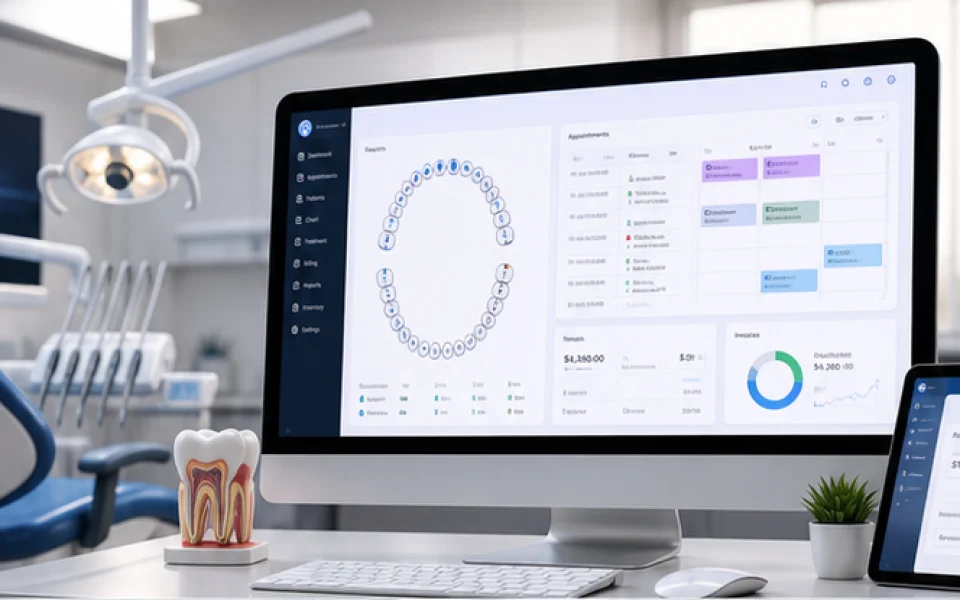
Software is easiest to judge by walking an ordinary day through it, rather than by reading a feature list.
Most dental practices do not fail on clinical skill. They lose time and money in the joins — a record that lives in one place and a payment that lives in another, a cancelled slot nobody refills, a six-month recall nobody chases.
What follows is one day in a representative three-branch practice, step by step, showing which part of the system does what. Every step below is a capability described on the DentalCare Pro product page.
Two patients registered themselves overnight. A QR poster at reception opens the registration form on the patient's own phone — details, medical history, allergies and consent, with no app to install and no login to create.
Those submissions do not go straight into the records. They arrive as pending requests for the front desk to review, so nothing enters a patient file unchecked. A third patient booked a Tuesday slot at 11pm through 24/7 online booking, choosing from genuinely free times rather than requesting one.
The receptionist opens their own view: the queue, arrivals, bookings and quick actions. The dentist opens a different one — today's schedule, who is in the chair, treatments in progress. The owner sees a third: revenue, pending payments and activity across all three branches.
Branch data is genuinely separate. Change branch and the patient list changes with it, while the owner keeps a consolidated view across sites.
A 3:30pm root canal cancels. In most practices that chair now sits idle, because nobody knows who wanted that time.
Here the slot frees for booking, but the appointment stays in the patient's history with its reason — nothing is deleted. At the same moment the front desk sees the cancellation waitlist: who asked for that exact time, with their number and one-click rebooking. The patient who takes it is told automatically that their appointment is confirmed.
The patient's profile opens with allergies and medical alerts surfaced before treatment starts — penicillin allergy, on blood thinners — rather than buried three clicks into a history.
Treatment is charted on a 32-tooth interactive chart, with treatments linked to the teeth they were performed on and X-rays attached to the record. A multi-session case keeps its status from ongoing to completed, so the next visit starts from where the last one stopped rather than from memory.
The invoice is built from the treatment, with line items, discount and GST. The patient pays by UPI QR with the exact amount already filled in, so they cannot mistype it — or takes a pay-link by WhatsApp, opens it, sees the balance and pays without logging in anywhere.
For a high-value implant case, an EMI plan splits the cost into instalments with due tracking and overdue monitoring. The prescription that follows carries the dentist's signature, qualification and Dental Council registration number, and a verification code generated inside the clinic — so it prints even when the internet is down.
Day-by-day aftercare instructions go to the patient's phone. They tick off each day and report a pain score, so the clinic can see who is following instructions and whose pain is not settling — before it becomes a complaint.
Happy patients are routed to the practice's Google listing. Unhappy ones are asked privately first, so the clinic can put it right rather than read about it in public. Six-month recalls are tracked automatically with contact history, so nobody is chased twice or forgotten entirely.
A lab case moves through impression, sent, received and fitted, carrying cost, shade, material and due dates — and a remake is recorded as a remake rather than quietly re-sent.
Every autoclave cycle is logged. A failed cycle quarantines the load and the re-run stays traceable. None of this is visible to a patient, and all of it matters the day someone asks.
None of the above is unusual for a well-run practice — it is what the day already looks like when everything goes right. The difference is whether it depends on someone remembering.
About this walkthrough. This describes how DentalCare Pro works, using a representative example rather than a named client. Every step corresponds to a capability documented on the DentalCare Pro page, and there are no performance figures here because those belong to individual clients rather than to the software.
Book a 45-minute walkthrough and we will open DentalCare Pro live against how your team actually works — or tell you honestly if you do not need it yet.


